Introducing the Ultimate Ambient Sound Odyssey
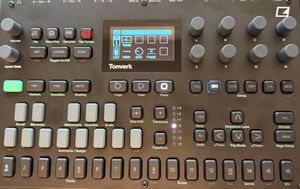
Elevate your sonic journey and immerse yourself in pristine, harmonic soundscapes with a revolutionary sound pack built exclusively on the OP-XY using the drum sampler. Every key triggers a unique note within the same scale, ensuring flawless harmonic flow as you craft deeply immersive ambient textures.
---
Inside This Collection:
• 57 Distinct Sounds, 4 Scale Variations:
All presets in the key of C, but can be changed in settings/transpose.
Each sound is presented in four expressive scales— Major, Minor, Dorian, and Phrygian. Dive into moods that range from crystalline clarity in C Major to the mysterious, introspective depths of C Phrygian.
FYI- Each preset is built in the drum sampler, with a sample mapped to every key. This gives you realistic, playability-no stretched notes just rich, detailed sound across the entire keyboard. (You get 3 full octaves)
• Precision Drum Sampler Control:
The drum sampler is your gateway to intricate sound design. Sculpt envelopes to reveal subtle, evolving textures. Adjust starting points, loop segments, or play in reverse to create glitchy pulsations and granular-like transformations that breathe life into ambient landscapes.
• Harmonically Cohesive Design:
Every element is engineered for harmonic perfection. Whether transposing C Minor up two semitones to achieve the serene feel of D Minor or exploring the inherent emotional nuances of each mode, you’re guaranteed an effortless flow that liberates your creative spirit.
• Massive, Meticulously Crafted Content:
Over 3.5 GB of lush, layered audio awaits. This isn’t just a sound pack—it’s a versatile sonic toolkit designed for composers and sound designers seeking to evoke profound atmospheres and deeply reflective soundscapes.
How to Install Presets on the OP-XY
1. Connect the OP-XY to your computer
Use a USB-C cable to plug the OP-XY into your computer. It should appear as a drive named “OP-XY” or similar.
2. Locate Preset Folder
3. Drag & Drop the Keyed In folder into the Presets folder.
4. Safely Eject the OP-XY
Once the files have transferred, eject the OP-XY drive safely from your computer to avoid corruption.