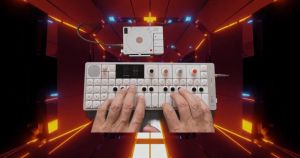
Originally, I was planning on just making a Jupiter‑8 soundpack. But as the project grew, I decided to expand it by adding Moog and Prophet‑5 sounds as well. Even though I recently gave away a free Prophet pack, and I already have two Moog packs out, I wanted this release to go deeper — with longer tails, extended ranges, and dense multisampling that makes the instruments feel alive.
Jupiter‑8 (100 presets)
18 Bass
6 Brass
18 Keys
18 Leads
20 Pads
10 Poly synths
10 Strings
Prophet‑5 (45 presets)
5 Bass
10 Keys
10 Leads
20 Pads
Prophet‑5 (45 presets)
5 Bass
10 Keys
10 Leads
20 Pads
Altogether, that’s 195 presets across three legendary synths — Jupiter, Prophet, and Moog — captured with pro‑level detail. Every sound was multisampled across extended ranges, with longer tails and natural transitions, so you’re not just hearing one note stretched across the keyboard but the real instrument at multiple points. Pads bloom naturally, leads feel expressive, and basses hit with authentic weight.
Because of this depth, the pack is much larger in megabytes than my usual releases. That’s why it’s branded as the Pro Version — heavier, but delivering the kind of realism and expressive playability that lighter packs can’t match. And honestly, the bass sounds alone are worth the price. But you’re getting the entire 195‑preset collection for just $15.
This is my most complete analog toolkit yet: a tribute to three legendary synths, reborn for modern creators
https://youtu.be/3GvX_zv61j4?si=fw5HpwF16hzkekN6
Install Instructions
1. After downloading, you’ll see the main folder called Analog Classics.
2. Inside that folder are three sub‑folders: Jupiter‑8, Moog, and Prophet‑5.
3. Take those three folders out of the Analog Classics folder — don’t leave them nested.
4. Place the Jupiter‑8, Moog, and Prophet‑5 folders directly into your OP‑XY device’s soundpack directory.
5. Once copied, restart or refresh your OP‑XY, and the presets will appear organized by instrument.
If presets don’t appear, double‑check that the folders aren’t still inside the Analog Classics folder. They need to be placed directly in the OP‑XY directory.